Bring your character to the stadium. Plan a football bounce remix with a consistent character card and a motion-focused prompt.
Original motion reference
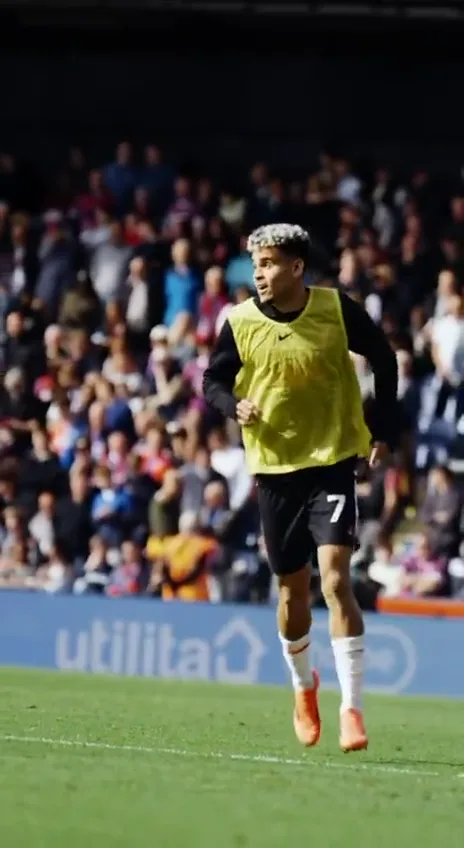
Reference example. Click to play with original sound.
Keep your eye on the ball.
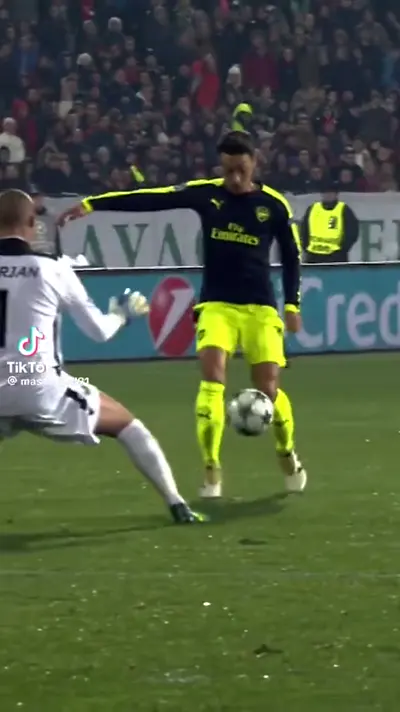
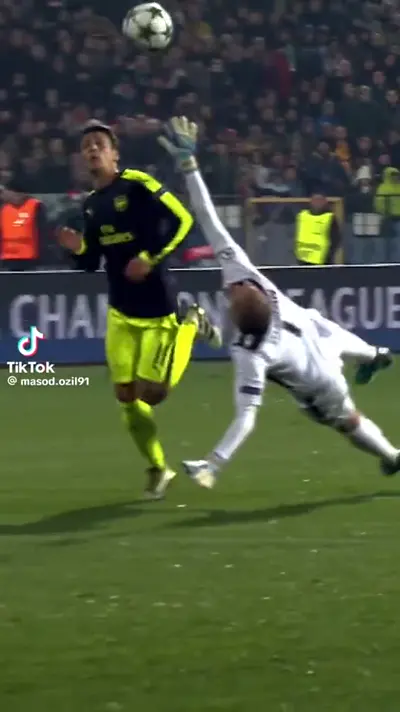
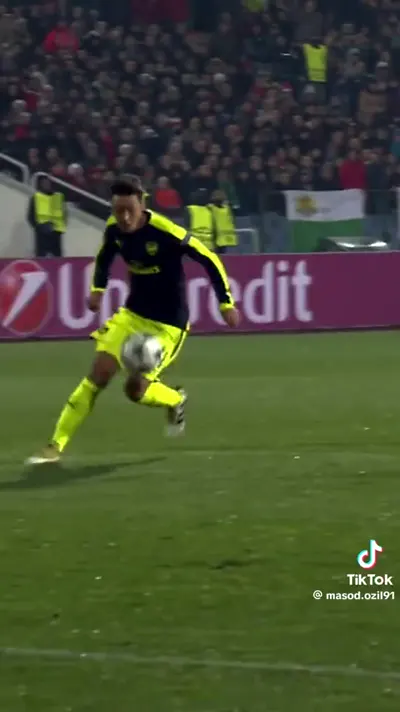
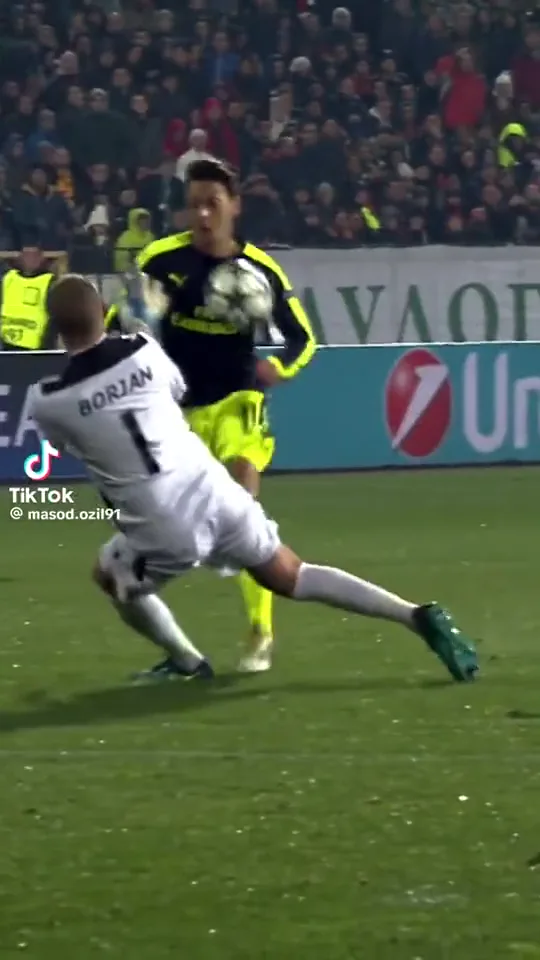
The appeal is in the unexpected footwork: a character stays composed while the stadium action moves around them. Use the clip to study the rhythm and framing.
Full-body action
Ball control
Stadium setting
Motion study
Give the bounce room to move.
Study the spacing, the ball and the recovery before adapting this football reference to your own character.
01
Leave room for the action
Use a full-body composition with enough space above and below the player. Tight crops can hide the ball or cut off the movement.
02
Keep the ball readable
Check where the ball sits relative to the feet and body. A simpler ball-contact instruction is a useful starting point before attempting complex choreography.
03
Choose a clear ending
Describe a balanced finishing pose. A character card helps with appearance, but exact motion transfer needs a compatible rendering model.
Frames from the reference clip, shown in sequence for planning. They are not generated from your uploaded image.
Choose a direction
Özil Bounce Template prompts to start with.
Choose a direction, read the full prompt and apply it to your workspace. Your uploads and personal notes stay in place; you can undo the prompt change.
6 prompts
Footwork
One controlled football bounce
Use the uploaded three-view character card for identity and outfit continuity. In a stadium setting, show one controlled football bounce with the ball visible near the player’s feet. Keep the full body in frame, show the contact clearly and finish in a balanced stance. Use the reference as motion inspiration, not an exact choreography guarantee.
Footwork
A calmer training-ground take
Place the character from the uploaded card on a quiet training pitch. Show a short step, a single controlled ball touch and a settled stance. Keep the outfit, shoes and face consistent, with the ball visible at every contact. Use a locked full-body camera and natural pacing.
Framing
A stadium introduction
Introduce the uploaded character in a wide stadium shot before a small football bounce. Begin with a clear standing pose, make one measured ball touch and finish looking toward camera. Keep the background stable and avoid crowd close-ups or rapid camera cuts.
Framing
Leave space around the feet
Frame the uploaded character head to toe with extra ground visible below the shoes. Show one light football touch followed by recovery. Preserve leg proportions and shoe design; keep the ball separate from both feet and inside the frame. Hold the camera steady.
Remixes
A stylized character remix
Use the stylized character in the supplied three-view card for a playful football bounce scene. Preserve the original illustration style and proportions. Keep the ball motion simple: one touch, one bounce and a balanced finish. Do not change the character into a realistic person.
Remixes
A clean ending for an edit
Create a football bounce sequence with the uploaded character, keeping identity and clothing consistent. After one controlled touch, let the ball settle near the feet and hold a stable final pose. Use a single full-body shot with no cut, so the ending is easy to trim in an editor.
These prompts are alternative creative directions using the same reference format. The preview clips are references, not six separately generated results or guaranteed choreography.
THE INPUT GUIDE
One character. Three angles.
Combine three full-body views of the same character into one image. Keep the face, clothing and footwear consistent across the card.
Give the idea a clear starting point.
Front
Side
Back
Suggested layout · Combine the views into one imageFROM REFERENCE TO BRIEF
How to plan an AI jewelry video.
01
Build a three-view card
Place front, side and back views on a simple background in one image. Show the entire body, including the shoes, in each view.
02
Set the football direction
Add the card above. Adjust the prompt to describe the character and the action you want to emphasize, such as dribbling or a controlled header.
03
Save a ready-to-use brief
Copy or download your prompt and notes. Before sharing a result, review face consistency, limb anatomy and every ball contact before sharing.
SMALL DETAILS, BETTER DIRECTION
Prepare a clearer video brief.
One identity, one outfit
Mixed hairstyles, jersey colors or shoes across the card create conflicting instructions. Make every view clearly the same character.
Leave room around the feet
Tight crops hide the information needed for footwork. Include the full body and a little space around the shoes.
Write the action in order
A short sequence such as “dribble, lift, recover” is easier to direct than many simultaneous tricks. Keep one main action in focus.
Check the ball separately
A convincing face is only half the scene. Review the ball path and look for sliding feet, missed contacts or objects passing through the body.
Özil Bounce Template FAQ
What is the Mesut Özil bounce AI video template?
It is a football remix idea built around a recognizable stadium bounce clip. The workspace helps you prepare a character reference and prompt; the preview shows the source movement, not a personalized result.
Can I use a selfie for the football bounce video?
A selfie can show identity but leaves the body and clothing unspecified. This template is designed around one image containing three full-body views of the same character.
Will a text prompt recreate the exact football movement?
No. A prompt describes the intended scene. Reproducing a specific sequence requires a compatible motion-reference model and still may vary, especially during fast ball contacts.
How do I save my scene direction?
Personalize the reference photo and prompt, then copy or download your creative brief. Keep the original photo with the saved text for your project.
Is this an official Mesut Özil tool?
No. This is an independent creative template, with no affiliation or endorsement implied by the reference name.
Keep exploring
Find the next direction for your video.
Choose the workspace that fits the shot you have in mind.