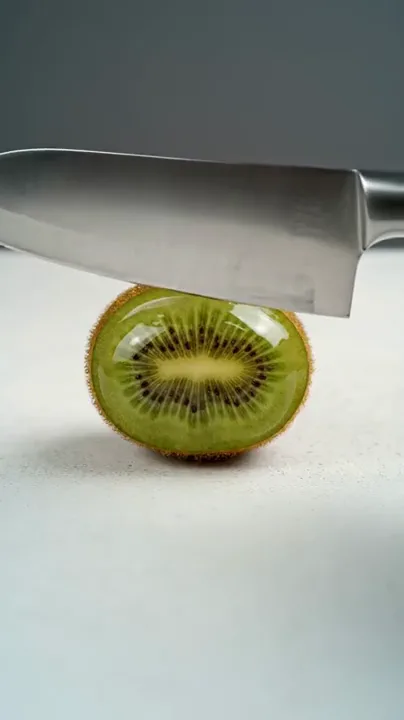
One clean kiwi slice
A close-up of a blade cutting through a green kiwi, with the contact point and interior texture clearly visible.
Satisfying scenes
Make the smallest movement the whole story. Pair a tactile material with a deliberate action and a sound direction worth listening to.
Choose your starting point, set the scene and continue in the video workspace.
Shape your direction, refine the prompt and keep a copy of your creative brief.
Video examples
Watch a reference, then adapt the prompt to your own subject and scene.
A close-up of a blade cutting through a green kiwi, with the contact point and interior texture clearly visible.
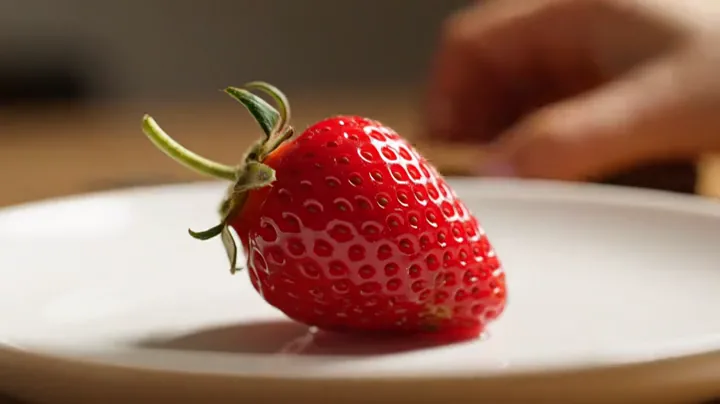
A simple strawberry-cutting scene uses a clean background to keep the texture and contact at the center.

A small droplet and a visible leaf surface create a quieter reference for delicate natural detail.
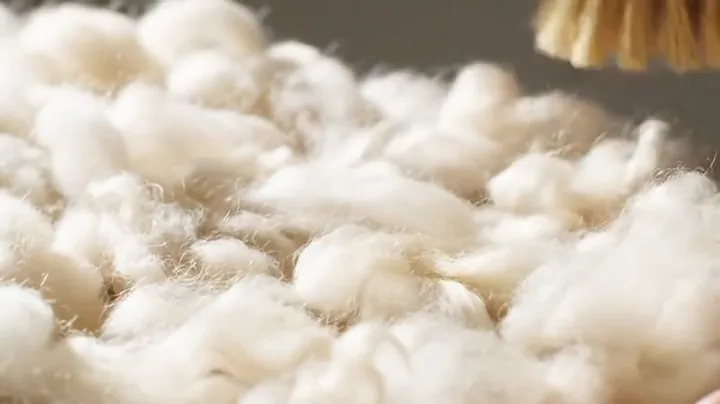
A gentle brush movement makes the changing direction of the soft white fibers easy to follow.
Example footage, not a generated result. Prompts are original starting points and will not reproduce a clip exactly.
01 / AI ASMR Video
Fruit, glass, soft fibers and water suggest different kinds of movement. Start with one material and name its visible qualities: a fresh cut, translucent edges, a soft surface or a rounded droplet. A precise texture gives your AI ASMR prompt a clear visual target.
02 / AI ASMR Video
A satisfying video does not need a crowded sequence. Describe the approach, the moment of contact and the final state. Keep the camera still when the material is the subject, and hold the ending long enough to see what changed.
03 / AI ASMR Video
Separate your visual instructions from your audio direction. Name the sound source, its timing and the background you want. These choices become part of your brief; whether the selected model can generate synchronized sound depends on its actual audio support.
Prompt ideas
Borrow the structure, change the subject and keep the details that matter.
A translucent glass pear on a dark matte board, locked macro camera and soft side lighting. Make one measured slice through the center. Preserve the pear shape and glass thickness, then hold on the separated halves. Sound brief: a crisp cut followed by a very short glass-like ring; no music or speech.
A neat block of lavender kinetic sand on a neutral tabletop. A flat edge slowly lifts one thin ribbon from the front surface. Keep the camera stationary and show the ribbon separating into fine grains. Sound brief: dry, delicate scraping in a quiet room, aligned with the visible movement.
A small cream-colored foam cylinder under diffuse studio light. A flat tool presses once into the top, pauses, then lifts slowly. Keep the base planted and let only the compressed area deform. Sound brief: gentle close-up compression with no music, speech or exaggerated impacts.
A translucent pink jelly cube on a white ceramic plate. Give it one small sideways nudge and let the wobble settle naturally. Keep the plate, camera and light fixed. Plan a visual-only clip with a calm opening and a matching final composition; a seamless loop may require editing.
How it works
Describe your object, surface and lighting. Add a reference image if you want to start from a particular composition.
Choose one action and a sound direction. Review the timing, camera position and details to preserve.
Copy or export the prompt, or carry it into the video workspace. Keep the intended sound and visual direction together in your brief.
Questions, answered
It describes a visually satisfying action and, when needed, a matching sound direction. Useful details include the material, contact point, camera distance, pace and the sound expected at each visible movement.
Prepare a visual and audio brief with the subject, texture, movement and intended sound. Audio support depends on your selected generation model and editing workflow.
Name the glass object, its thickness and translucency, the cutting surface and one clean cutting action. Keep the contact point in frame and describe what the separated pieces should look like. Add sound direction separately.
Yes. A clear photo can guide the object, material and composition. Use an uncluttered image with a visible surface and enough space for the planned action. The brief cannot guarantee that a generated result will preserve every detail.
You can plan an opening and ending that look similar, but a seamless loop is not guaranteed by a prompt. Matching the final pose, trimming the clip or adding a short transition may still be needed.
It makes the brief easier to review and adapt. Some video workflows support native audio, while others need a separate sound pass. Clear instructions let you keep the same visual scene and change only the audio treatment.
Explore related tools