Skip to workspace
Rap performance

Bulin 47 AI Video

One sharp suit. A confident delivery. Make the Bulin 47 performance idea your own with a photo, a clear gesture and a camera that stays with you.

Make this idea yours

Start with a reference image. Shape the direction.

01

Add your reference

Required

Choose one clear portrait with a visible face and shoulders. Describe the suit separately if your photo shows a different outfit.

Drafts stay in this tab for 30 minutes between visits. Reloading clears the draft.

Choose a scene direction

Choose a direction to update the prompt. Your photos and notes stay in place.

02

Director’s notes

Optional
0/600
Customize your prompt

Personalize the photos, scene and prompt for your video idea.

Bulin 47 AI Video
Performance reference

Reference example. Click to play with original sound.

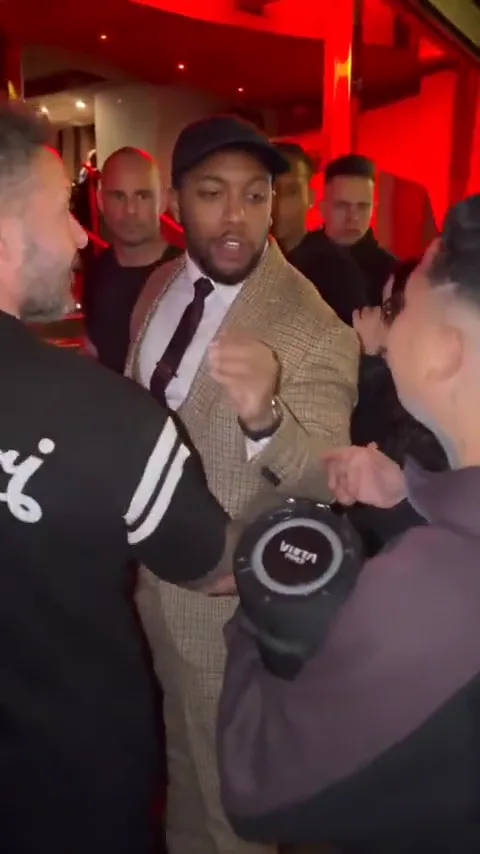
The attitude is in the delivery.

Study the direct gaze, compact hand gestures and red entrance setting. Your brief can borrow that performance language while giving the character a distinct look.

  • Set the stance
  • Deliver the gesture
  • Hold the finish

Scene directions

Read the reference in three moments.

Use these frames to plan the setup, main action and ending. Click the full reference above to watch the motion with its original audio.

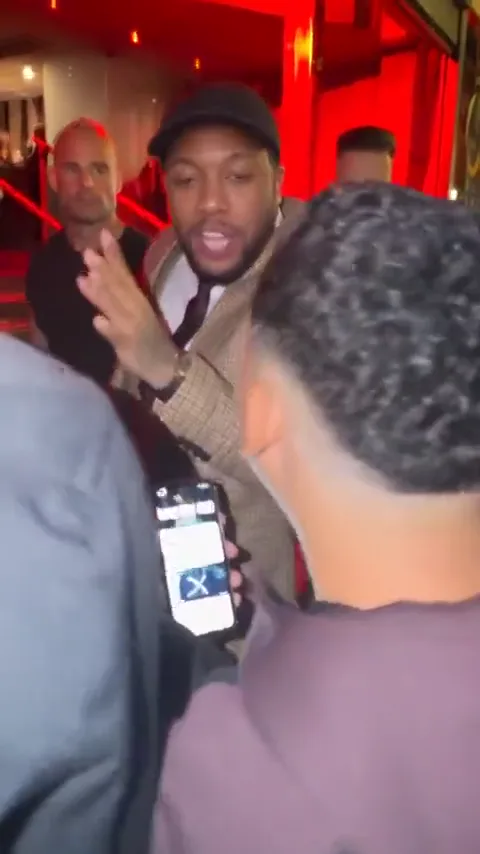
  1. Arrive at the doorway

    Arrive at the doorway

    The suited performer arrives at the red entrance. Establish the face, outfit and location before adding the main gesture.

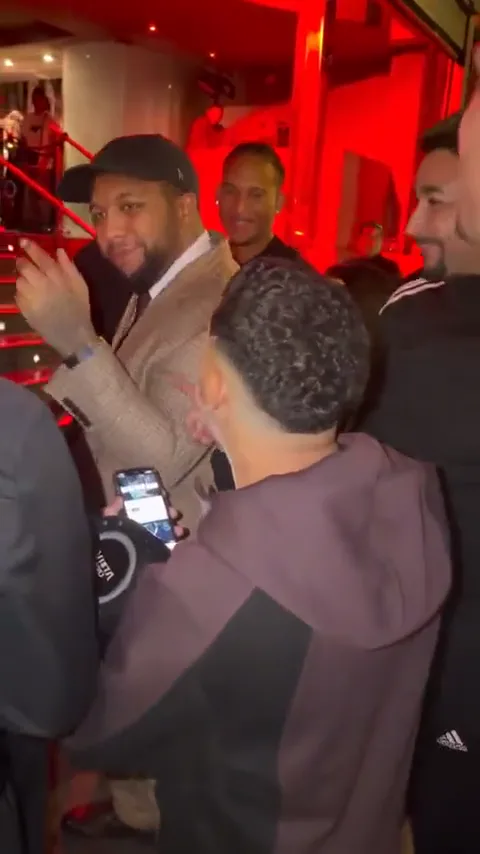
  2. Let the hands deliver

    Let the hands deliver

    A visible hand gesture gives the performance its rhythm. Keep the face readable and choose one dominant motion for your version.

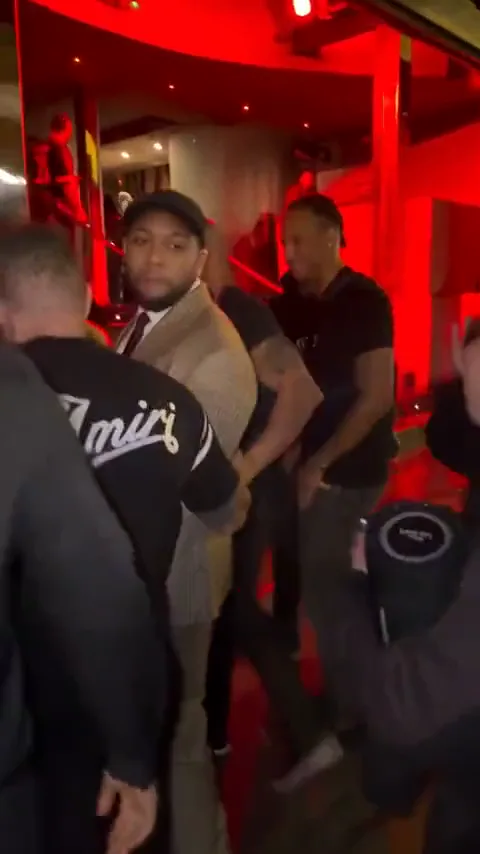
  3. Turn out of the moment

    Turn out of the moment

    The reference ends with a turn away. Borrow that exit or describe a different held ending in your prompt; make the choice explicit.

These are three moments from the same source clip, not three different generated examples.

Make the scene your own

Bulin 47 AI video prompts for your performance.

Choose a starting point, copy it or apply it to the workspace. Your uploaded references stay in their assigned slots.

6 prompts
Entrance freestyle
Entrance

Entrance freestyle

Frame the uploaded person from the waist up outside a red-lit entrance in a tailored dark suit. Keep eye contact with the camera. Begin still, perform two small open-hand gestures and end with a controlled nod. Use a fixed camera and consistent facial identity. Keep the hands separated from the face; no captions or background changes. Plan vocals separately.
Street performance
Street

Street performance

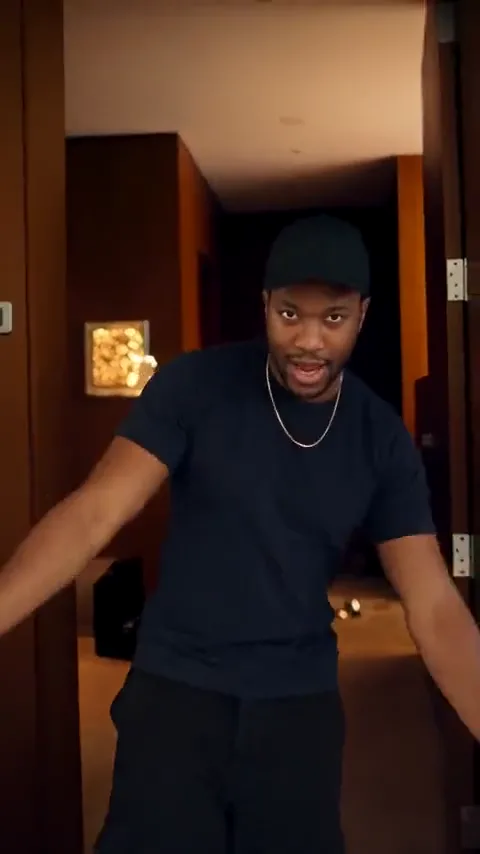
Create one continuous vertical street-performance shot featuring the uploaded person in a dark suit. Start with the full body visible, let them take one relaxed step toward the camera, make a brief chest-height gesture, and stop. Preserve the face, shoes and outfit. Keep the street perspective stable and the movement unhurried. No crowd crossing the face, abrupt zooms or promised vocal synchronization.

Close-up delivery
Close-up

Close-up delivery

Use a steady chest-up shot of the uploaded person wearing a dark tailored jacket against a softly lit red entrance. Build the performance from a small head nod, a subtle shoulder shift and a confident final expression. Keep the face sharp, mouth movement natural and lighting consistent. Avoid exaggerated gestures and cuts. Treat the soundtrack as a separate editing decision.

A jacket-adjustment opening
Entrance

A jacket-adjustment opening

Frame the uploaded performer waist-up outside a softly lit red entrance in a charcoal suit. Begin with one small jacket adjustment, lower both hands and make a restrained open-palm gesture toward the camera. Keep face, lapels, buttons and doorway geometry unchanged. End with a confident, relaxed look. Use one continuous shot; plan the music and vocal timing separately.

A street-side profile turn
Street

A street-side profile turn

Show the uploaded person in a tailored suit standing three-quarter to the camera on a quiet evening street. Let them turn their shoulders slightly toward the lens, give a small nod and settle. Preserve facial identity, hair, clothing and shoes, with both hands visible. Use a stable medium-wide shot and one consistent light source. No crowd crossing, scene cuts or assumed synchronization to a song.

The final confident nod
Close-up

The final confident nod

Create a chest-up performance portrait of the uploaded person in a dark jacket against a softly blurred red doorway. Hold eye contact, add one small nod and a subtle smile, then remain still. Preserve the eyes, mouth, hairstyle and jacket details. Keep the camera fixed and avoid exaggerated mouth movement, extra gestures or cuts. Add any desired beat cue as a separate audio note.

Six original prompts explore one source reference. Direction variants are ideas to try, not separate finished results or the original prompts used for the clip.

THE INPUT GUIDE

Give the performance a face.

Choose one clear portrait with a visible face and shoulders. Describe the suit separately if your photo shows a different outfit.

Give the idea a clear starting point.

Required

Your performer

One person, a clear face and even light. Include shoulders and the outfit you want to keep.

FROM REFERENCE TO BRIEF

How to plan your Bulin 47 video.

01

Choose a performer photo

Use one evenly lit portrait with a visible face. A shoulder or waist-up crop also gives useful information about posture and clothing.

02

Direct the performance

Choose entrance freestyle, street performance or close-up delivery. Edit the suit, expression and gesture while keeping one camera move at most.

03

Review the visual and audio brief

Save your direction and notes. In the eventual generation workflow, verify supported motion and audio inputs before relying on a specific performance or lip sync.

SMALL DETAILS, BETTER DIRECTION

Prepare a clearer video brief.

Let the face stay readable

Avoid dark sunglasses, extreme side angles and hands over the mouth. A clear portrait gives a stronger identity reference through a performance.

Keep the suit instruction consistent

Choose one jacket color and silhouette. Conflicting clothing descriptions can change the outfit halfway through a gesture.

Give hands room to move

A waist-up frame supports compact gestures. Tight face crops work better with a nod or expression than a large arm movement.

Separate rhythm from lip sync

A nod can communicate rhythm without exact mouth shapes. Matching a recording needs an audio-aware model or a dedicated editing step, to be tested for your chosen workflow.

A scene that holds together

Write the look, the gesture and the rhythm.

A useful rap video prompt separates what the camera sees from what the soundtrack needs. Keep those instructions clear enough to test independently.

The look
Define one face reference, a single suit and a simple entrance. Avoid changing the outfit or location halfway through the performance.
The gesture
Specify a short action with an ending: open the hand, lower it, then hold the gaze. Leave space around the arms.
The rhythm
Add written notes for beat accents or vocals. Exact timing requires suitable audio or motion inputs in the final workflow.
THE COMPLETE WALKTHROUGH

How to make a Bulin 47 AI video

Prepare the portrait, break down the performance and write audio notes that match the shot.

Read the tutorial

Bulin 47 AI Video FAQ

What is the Bulin 47 AI video template?

It is a photo-led performance concept inspired by the suited freestyle reference associated with Bulin 47. This page helps you specify your own character, red-entrance setting, gestures and camera direction.

How many photos do I need?

One clear photo of one person. A face-and-shoulders or waist-up image is a useful starting point; you do not need a collage.

What should a Bulin 47 video prompt include?

Name the performer reference, suit, location, one or two gestures and a final pose. Add any intended soundtrack as a separate note rather than expecting the visual prompt to recreate a recording.

Does the template include the original song or synchronized vocals?

The reference player includes the source clip’s audio. Your creative brief does not generate or export that soundtrack, and it does not guarantee synchronized vocals.

Can I keep my own outfit?

Yes. Replace the suit instruction with one consistent outfit description, ideally matching the uploaded photo. The reference is an idea for staging, not a requirement to copy every detail.

Does this workspace generate a personalized video now?

Organize your images, choose a direction and refine the prompt. Save the creative brief with your source photos so the scene stays consistent throughout your project.

Is this an official Bulin 47 product?

No. This is an independent creative workspace. The reference name identifies the performance idea and does not imply artist affiliation or endorsement.

Give the next performance your own attitude.

Choose your portrait. Keep the gesture clear. Let the final look land.

Build your scene briefPersonalize the scene and keep your photos, prompt and direction together.