Skip to workspace
Mansion performance

Popstar AI Video

Take the lead in a mansion performance. Plan the walk, the expression and the little details that make one continuous shot feel effortless.

Make this idea yours

Start with a reference image. Shape the direction.

01

Add your reference

Required

Add one clear photo of the lead performer. Show the face and upper body; describe the outfit, prop and supporting characters in your notes.

Drafts stay in this tab for 30 minutes between visits. Reloading clears the draft.

Choose a scene direction

Choose a direction to update the prompt. Your photos and notes stay in place.

02

Director’s notes

Optional
0/600
Customize your prompt

Personalize the photos, scene and prompt for your video idea.

Popstar AI Video
Performance reference

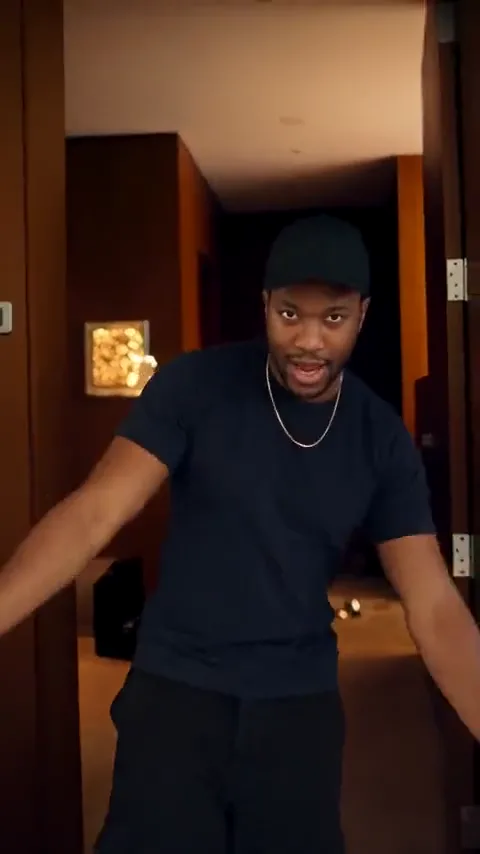
Reference example. Click to play with original sound.

Keep the camera in step with the character.

The scene combines a moving performer, a handheld prop and a mansion setting. Start with a clear route, then decide what the hands and supporting characters should do.

  • Enter the scene
  • Walk and perform
  • Land the final look

Scene directions

Read the reference in three moments.

Use these frames to plan the setup, main action and ending. Click the full reference above to watch the motion with its original audio.

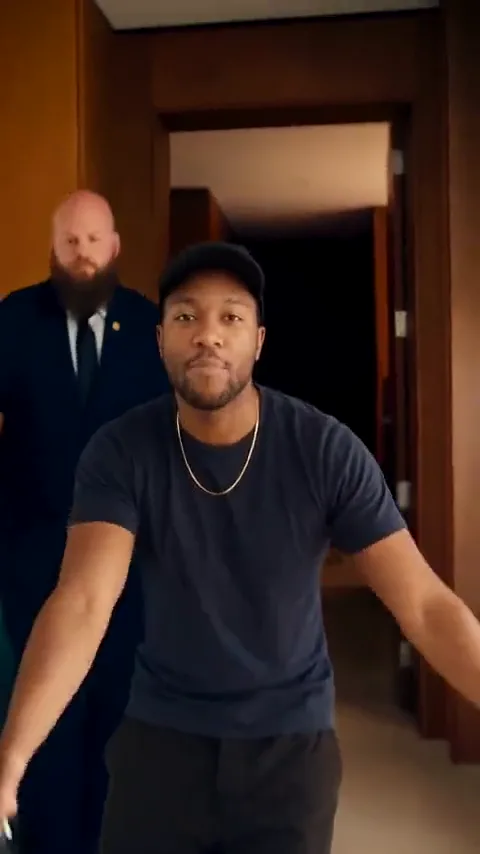
  1. Enter with the prop

    Enter with the prop

    The performer begins near a doorway with a bottle-shaped prop. Establish the lead and which hand holds it before the movement develops.

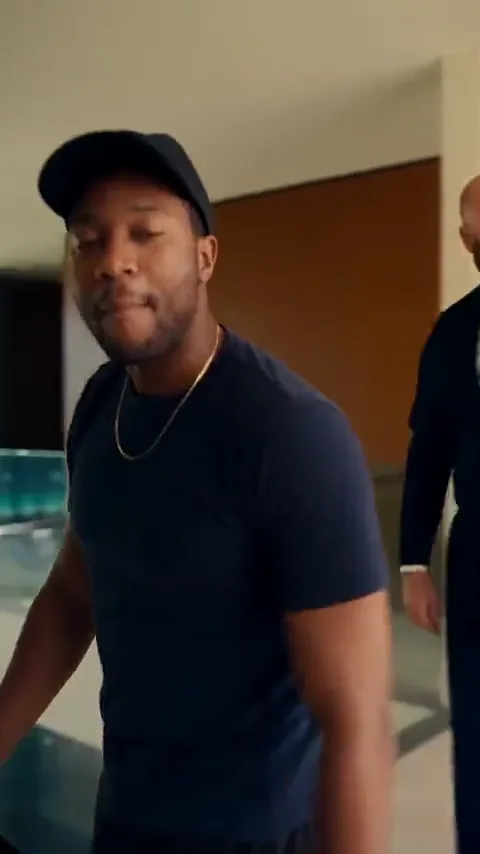
  2. Perform toward the camera

    Perform toward the camera

    The front-facing performance brings expression and gestures into focus. Keep the prop, free hand and face readable as separate details.

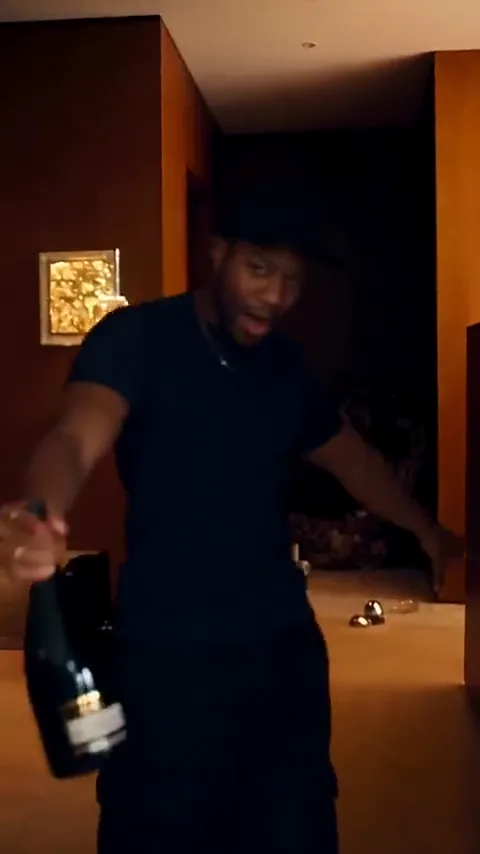
  3. Walk past the camera

    Walk past the camera

    The reference continues past the camera. Use that exit as one option, or specify a stop if your version needs a held closing pose.

These are three moments from the same source clip, not three different generated examples.

Make the scene your own

Popstar AI video prompts with a clear route.

Choose a starting point, copy it or apply it to the workspace. Your uploaded references stay in their assigned slots.

6 prompts
Mansion walk
Walking shots

Mansion walk

Create a vertical mansion hallway shot starring the uploaded person. The lead walks steadily toward a backward-tracking camera while making a small gesture with one free hand. Hold the other hand and its bottle-shaped prop consistently. Keep a supporting character behind, away from the lead’s face. Preserve identity, outfit and room geometry. End with a short pause; audio direction is separate.
Doorway entrance
Entrances

Doorway entrance

Start on an open mansion doorway. The uploaded person enters, takes two calm steps and stops in a confident pose. Use a gentle camera pullback, maintain face and clothing, and keep any prop in one hand without changing its shape. Let the free hand make one small gesture. Keep the doorway stable and finish before starting another action. No claimed vocal synchronization.

Lounge performance
Stationary performance

Lounge performance

Place the uploaded lead performer in a bright mansion lounge in a stable medium shot. Start with relaxed posture, add a small shoulder movement and one free-hand gesture, then hold eye contact with the camera. Keep the same outfit, furniture, lighting and handheld prop throughout. Avoid extra performers in the foreground and sudden cuts. Add music or vocals only through a separate compatible workflow.

A solo hallway performance
Walking shots

A solo hallway performance

Create a vertical continuous shot of the uploaded performer walking slowly along a bright mansion hallway. Use a backward-tracking camera at a steady distance. Leave both hands empty and let one hand make a small gesture before returning to the side. Preserve the face, outfit, floor lines and doorway positions. Stop beside a visible doorway and hold the final pose. No supporting cast, sudden cuts or promised audio synchronization.

The doorway pause
Entrances

The doorway pause

The uploaded performer stands just outside a large open doorway in a mansion. They enter, make one small outward gesture with an empty hand, then pause in the light. Keep the camera nearly still with a gentle pullback. Preserve face, hairstyle, clothing and straight architectural lines. End on a confident gaze with both hands visible. Describe music as a separate editing note.

One prop, one hand
Stationary performance

One prop, one hand

Frame the uploaded performer waist-up in an elegant lounge, holding a single unbranded bottle-shaped prop in the left hand. The prop stays still while the right hand makes one brief performance gesture. Add a small shoulder movement and finish with a relaxed smile. Preserve the face, fingers, prop silhouette, furniture and lighting throughout. No hand swap, added labels, cuts or assumed song reproduction.

Six original prompts explore one source reference. Direction variants are ideas to try, not separate finished results or the original prompts used for the clip.

THE INPUT GUIDE

Step into your own music-video scene.

Add one clear photo of the lead performer. Show the face and upper body; describe the outfit, prop and supporting characters in your notes.

Give the idea a clear starting point.

Required

Lead performer

One person, a clear face and even light. Include shoulders and the outfit you want to keep.

FROM REFERENCE TO BRIEF

How to plan your Popstar video.

01

Cast your lead

Upload a clear photo of one person. Include the upper body and avoid clutter over the face or hands.

02

Choose the route and gesture

Start with a mansion walk, doorway entrance or lounge performance. Name which hand holds the prop and keep the other action simple.

03

Check continuity in your brief

Save the shot description and soundtrack notes. Later, inspect the face, walking feet, prop and room geometry before treating a generated take as finished.

SMALL DETAILS, BETTER DIRECTION

Prepare a clearer video brief.

One lead, a clear background

Use a one-person reference image. Add supporting characters in the prompt rather than asking a model to guess the lead from a group photo.

Give the walk a destination

A doorway or a mark beside a sofa provides a clear ending. An endless walk encourages drifting camera and room geometry.

Assign the prop to one hand

Mention the hand and shape once, then keep them consistent. Swapping hands while performing creates a harder continuity task.

Keep gestures separate from vocals

A free-hand motion is a visual instruction. Precise mouth shapes and a specific recording require separately supported audio capabilities.

A scene that holds together

Direct the route, the hands and the camera.

These three choices do most of the work in a Popstar mansion prompt. Keep them compatible so the model is not asked to walk, turn, change hands and cut rooms all at once.

The route
Describe one short path and a destination. Keep doorways, floor lines and furniture in the same positions.
The hands
Assign any prop to a single hand. Give the free hand one gesture, then let it settle.
The camera
Choose a fixed shot or a steady tracking move. Save new angles and locations for separate storyboard shots.
THE COMPLETE WALKTHROUGH

How to make a Popstar AI video

Build a continuous mansion shot with a clear walking route, readable gestures and stable props.

Read the tutorial

Popstar AI Video FAQ

What is the Popstar AI video template?

It is a personal music-video concept built around a confident mansion performance. You choose a lead photo, walking route, gestures and props, then save a visual brief.

Can I make a Popstar video from one selfie?

A sharp selfie can identify the performer, but a wider portrait gives more information about posture and clothing. Use one person per image and describe the intended outfit clearly.

Can I remove the bottle or supporting character?

Yes. These are editable scene elements. Delete them from the prompt and replace the action with an empty-hand gesture or a solo walk.

Will this copy the original Popstar music video exactly?

No. The reference provides staging inspiration. Camera paths, choreography, identity and lip sync depend on the eventual model and inputs; a text prompt alone does not recreate a music video exactly.

Does clicking the reference play sound?

Yes, the click-to-play reference includes its source audio. A hover preview stays muted. The brief itself contains visual and written audio direction, not an exported song.

Does this workspace generate a personalized video now?

Organize your images, choose a direction and refine the prompt. Save the creative brief with your source photos so the scene stays consistent throughout your project.

Is this affiliated with the artists behind Popstar?

No. This is an independent template workspace using the reference name to describe the scene idea, without artist affiliation or endorsement.

Your lead. Your route. Your final look.

Start with a portrait and give the scene a direction worth following.

Build your scene briefPersonalize the scene and keep your photos, prompt and direction together.