Skip to workspace
Beach dance template

Hawak Mo Ang Beat AI Video Template

A playful beach dance, turquoise waves and gestures made for the camera. Add your photo and give this performance your own identity.

Make this idea yours

Start with a reference image. Shape the direction.

01

Add your reference

Required

Choose a sharp, evenly lit photo of one person. A waist-up or full-body view gives more appearance detail than a tight face crop. Keep hair and clothing visible.

Drafts stay in this tab for 30 minutes between visits. Reloading clears the draft.

02

Director’s notes

Optional
0/600
Customize your prompt

Personalize the photos, scene and prompt for your video idea.

Hawak Mo Ang Beat AI Video Template
Beach dance reference · 14 seconds · original audio

Reference example. Click to play with original sound.

The beach is the stage.

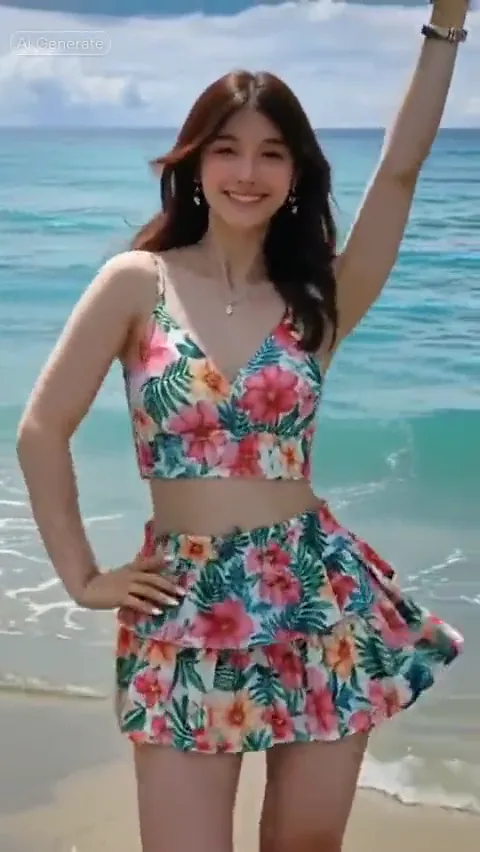
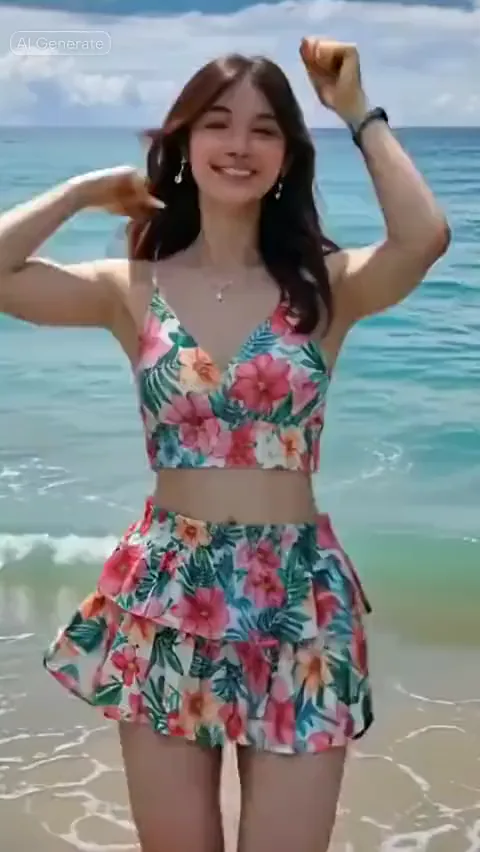
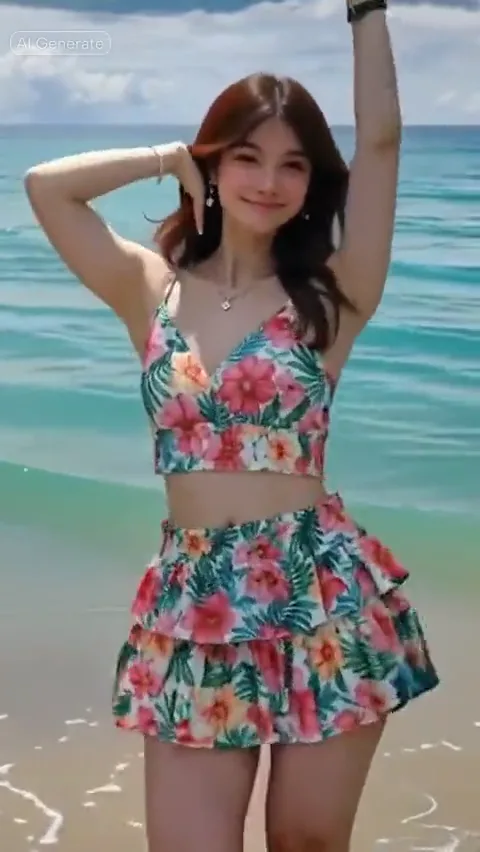
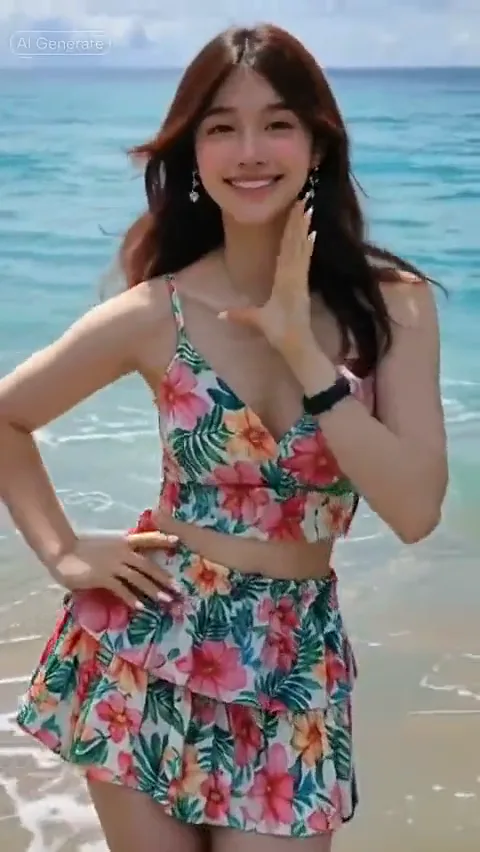
Watch the sway, the playful hand gestures and the overhead pose. Keep the choreography reference separate from the person you want in the scene.

  • One performer
  • Steady portrait framing
  • Seaside setting

Dance breakdown

A little sway. A playful gesture. A beach-side finish.

Look at how the hands and shoulders work inside one steady frame. Play the full reference above to follow the sequence with sound.

  1. Find the rhythm

    Find the rhythm

    A relaxed stance and a visible face establish the performer before the larger gestures.

  2. Let the hands speak

    Let the hands speak

    The hands move toward and around the face. Leave space and watch for occlusion when reviewing your result.

  3. Keep room above the head

    Keep room above the head

    Raised-arm poses need vertical breathing room. A tight crop can remove the very gesture that defines the shot.

Selected moments from one reference performance.

Your photo. Your details.

Hawak Mo Ang Beat prompts to make your own.

Start with the complete performance brief, then refine identity or framing. Applying a prompt keeps your uploaded photo in place.

3 prompts
The full beach performance
Reference-led

The full beach performance

Use the person in the uploaded photo as the identity and appearance reference. Preserve their face, hairstyle, skin tone, body proportions and outfit. Plan a Hawak Mo Ang Beat beach dance with turquoise waves behind the performer, a steady portrait camera and clear space around the arms. The performance moves through a relaxed hip sway, playful gestures toward the camera and an overhead arm pose. Keep the face readable, hands anatomically natural and clothing consistent. Use the linked motion reference for the exact sequence in a workflow that accepts reference video; text direction alone does not encode its choreography or audio timing.
Keep the person recognizable
Photo details

Keep the person recognizable

Use the uploaded person as the only lead in a portrait beach dance. Preserve the face shape, hairline, hairstyle, skin tone, outfit and any visible facial hair. Keep the face well lit and recognizable while the shoulders and hips move. Let gestures pass beside the face rather than covering it. Maintain natural hands, stable clothing and a consistent seaside background. Follow the Hawak Mo Ang Beat motion reference in a compatible reference-video workflow.

Give raised arms enough room
Framing

Give raised arms enough room

Frame a single performer at the water’s edge in a steady portrait shot. Leave extra room above the head and to both sides for pointing, waving and an overhead arm pose. Keep the face and upper legs readable, the horizon steady and the turquoise water behind the person. Preserve their uploaded appearance. Avoid zooms, cuts, new people or camera moves that crop the gestures. Use the dance reference for the movement sequence.

Three writing options for one reference. The images below are frames from the same dance, not separate generated results.

THE INPUT GUIDE

One person. A clear face. Room to move.

Choose a sharp, evenly lit photo of one person. A waist-up or full-body view gives more appearance detail than a tight face crop. Keep hair and clothing visible.

Give the idea a clear starting point.

Required

Your person photo

One person, clear face, visible hair and outfit.

FROM REFERENCE TO BRIEF

How to use the Hawak Mo Ang Beat template.

01

Watch the dance

Play the reference with sound. Notice the camera position, hand gestures and room needed above the head.

02

Add your photo

Choose one clear person photo. Open the optional prompt to refine appearance details without changing the dance reference.

03

Continue in the video workspace

Carry your photo, prompt and reference link into the video workspace. Review the scene and save your creative brief.

SMALL DETAILS, BETTER DIRECTION

Prepare a clearer video brief.

Keep the face readable

Use even lighting and an unobstructed face. Avoid sunglasses, heavy motion blur or hands covering the eyes.

Show the appearance you want

Keep hair and the desired outfit visible. A tiny face in a group image leaves too little identity detail.

Leave space for gestures

Prefer a waist-up or full-body image. Raised arms need more headroom than a still portrait.

Photo, motion and sound

Three references. Three different jobs.

Separating appearance, movement and audio makes the brief easier to understand and the result easier to review.

Your photo sets the appearance
Face, hair, clothing and body detail come from the person you upload.
The video sets the movement
The sequence and timing live in the reference clip. Keep it available for a compatible motion-transfer model.
The soundtrack sets the beat
Watch with sound, then check whether your chosen workflow preserves or accepts that audio separately.
THE COMPLETE WALKTHROUGH

Make your Hawak Mo Ang Beat video, step by step.

Choose a better photo, understand the motion reference and troubleshoot the details that make a dance feel natural.

Read the tutorial

Hawak Mo Ang Beat AI video questions

What is a Hawak Mo Ang Beat AI video?

It is a photo-led dance concept based on a recognizable performance reference. This example uses a single dancer on a beach, with hip sways, playful hand gestures and an overhead arm pose.

Which photo should I upload?

Use one JPG, PNG or WebP up to 10 MB, showing one person with a clear face, visible hair and even light. Waist-up or full-body photos provide useful outfit and body detail.

What travels to the video workspace?

Your photo, edited prompt, optional notes and the dance reference link travel together in the same tab. Keep the tab open to retain the photo; a page reload may require you to select the file again.

Will a text prompt copy the exact dance?

A text prompt describes the scene but does not encode every movement. Matching choreography requires a model that accepts a motion-reference video. Face, hands and clothing still need a careful result review.

Does the preview have music?

Yes. Click play to hear the reference soundtrack, and use the player volume control to mute it. Preview audio is separate from the audio settings of any video you create.

What is the reference video size?

The original reference is approximately 14.4 seconds at 540 × 958. The page uses a lighter 480 × 852 copy with sound. These describe the example, not a promised output resolution.

Bring your photo to the beach.

One clear photo. One memorable performance.

Choose your photoKeep your photo, direction and reference together.