
12:47
How I redesigned my channel in one weekend
Your Channel
Your channel, in one circle
Turn a photo or logo into a crisp channel avatar. Frame it in the circle, style the background and border, and see it in a channel header, a comment and the home feed before you upload.
Drag to position, zoom to frame your face or logo, then style the circle.
Upload, drop or paste an image. Square photos with the face near the center work best.
JPG, PNG or WebP · up to 15 MB · Drop a file here or paste with Ctrl+VDrag to move · Scroll or pinch to zoom · Arrow keys nudge
These mockups use the sizes YouTube shows on desktop and phones. Exact sizes vary by device.
Channel header
Your Channel
@yourchannel · 12.4K subscribers · 86 videos
SubscribeComment
Display sizes
Home feed
How I redesigned my channel in one weekend
Your Channel
The background shows where the image does not cover the circle, for example after zooming out or with a transparent logo.
YouTube crops every profile picture to a circle, so a square upload is fine. A circle cut-out is handy for other sites.
Images are processed in this browser. Nothing is uploaded to our servers.
Load an example with its settings, then swap in your own photo or initials.
A bold game scene with a thick yellow ring that still reads at 24 px.
A soft blurred background behind the subject and a thin light border.
No photo needed: two letters on a gradient, made for brand channels.
Upload, drop or paste a JPG, PNG or WebP, or switch to Initials to make a text avatar.
Drag and zoom inside the circle, then pick a background and a border ring that fit your channel.
Compare the comment and feed previews, then download an 800 × 800 PNG or JPG for YouTube Studio.
Profile picture size
Upload a square image of at least 98 × 98 pixels; 800 × 800 is the usual recommendation. YouTube suggests a PNG or still GIF of 4 MB or less (JPG and BMP also work) and crops the picture to a circle, so keep faces and logos in the middle of the frame. Treat these numbers as general guidance and confirm the current requirements in YouTube Studio.
YouTube channel branding guidelinesZoom in until the face or logo fills most of the circle. Empty edges disappear once the picture is shown at 36 or 24 pixels.
A plain or blurred background and a contrasting ring keep the shape readable against both dark and light themes.
Words smaller than about a quarter of the circle become unreadable in comments. Use one to three initials instead.
Use a square image of 800 × 800 pixels. YouTube shows it as a circle, about 98 × 98 pixels on the channel page guidance and as small as 24 pixels in replies, so the subject should fill the middle of the frame.
Yes. There is no signup, no watermark and no limit on downloads. Your image is processed in this browser and is not uploaded to our servers.
A square. YouTube crops the picture to a circle itself, so the corners never show. Use the circle cut-out option only when another site needs a round PNG with transparent corners.
Yes. Switch to Initials, type one to three characters, then choose a font, text color and a solid or gradient background.
Usually the source was small and got enlarged, or the subject only fills part of the circle. Start from a photo of at least 800 pixels, zoom so the subject fills the circle and export a PNG or a high-quality JPG.
Download your picture here, open YouTube Studio, go to Customization, then Profile, and upload it under Picture. Changes can take a few minutes to appear everywhere.
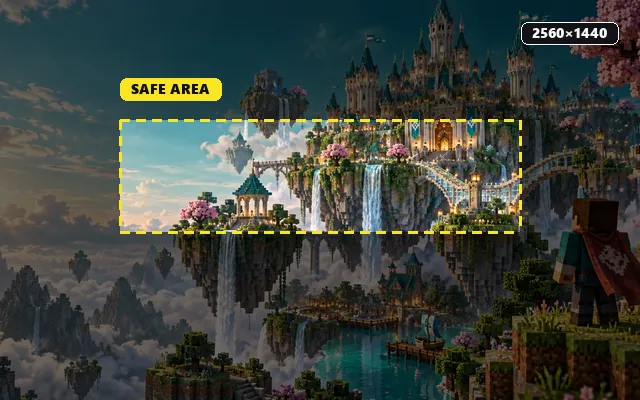
Pair the new avatar with a 2560 × 1440 banner that fits every screen.
Resize and compress thumbnails to 1280 × 720 under 2 MB.
See your thumbnail and title in the home feed, search and on a phone.
Streaming too? Turn one image into every Twitch emote and badge size.

@yourchannel2 hours ago
Just changed my profile picture. Does it look clear at this size?
12Reply