Skip to workspace

Recent files

Stored only in this browser on this device. Nothing is uploaded. Clearing site data removes them.

Files you open or export in the free tools appear here.

They stay in this browser for 7 days. Nothing is uploaded.
Start creating

Thriller Dance AI Video Generator

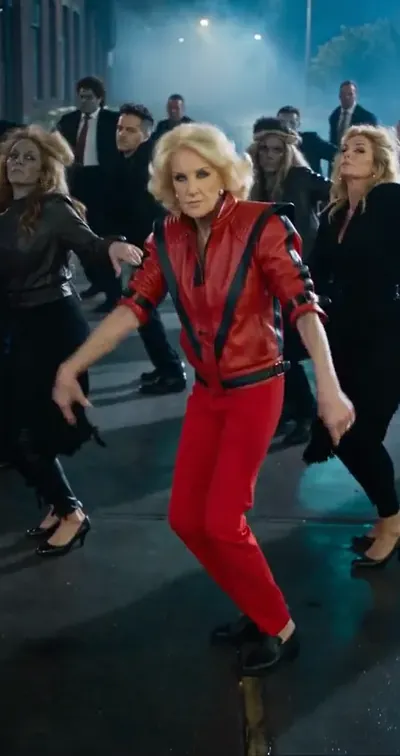
A foggy street, a red jacket and a zombie crowd that moves when you move. Turn one photo into the Halloween zombie dance and lead it solo, as a duo or with your pet.

Make your Thriller dance AI video

Required

Your photo becomes the opening frame of the clip. Choose one sharp, evenly lit picture of one person standing and facing the camera, ideally full body or knees up so the legs can dance. A night or street photo blends into the foggy scene; for Duo, use one photo with both of you.

Choose a scene direction
Optional
0/600
Customize your prompt

Your draft, photos included, stays in this browser for 7 days. Nothing is uploaded.

Beat timeline0:00.0 / 0:10.1

Zombie dance reference · 10 seconds · original audio · 9:16Reference example. Click to play with original sound.

The Halloween zombie dance, broken down move by move

The spectacle is simple: one dancer in red out front, a whole crowd behind copying every move. Keep the lead in full view and the steps bold enough to read.

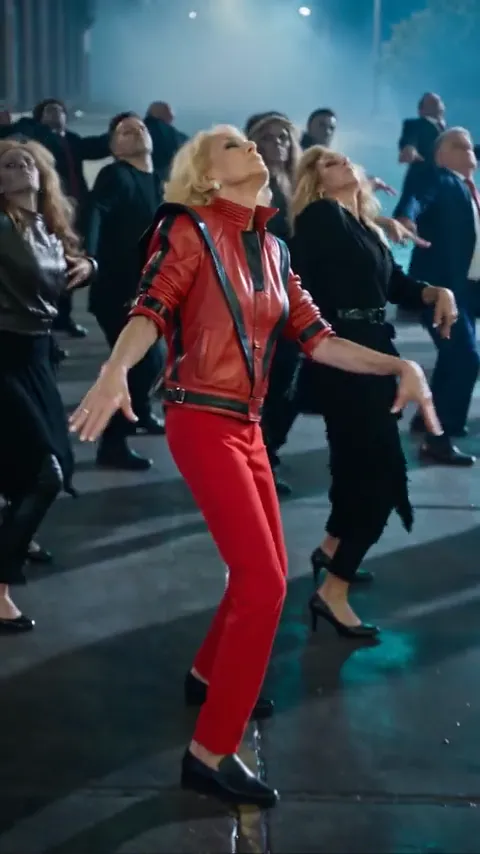
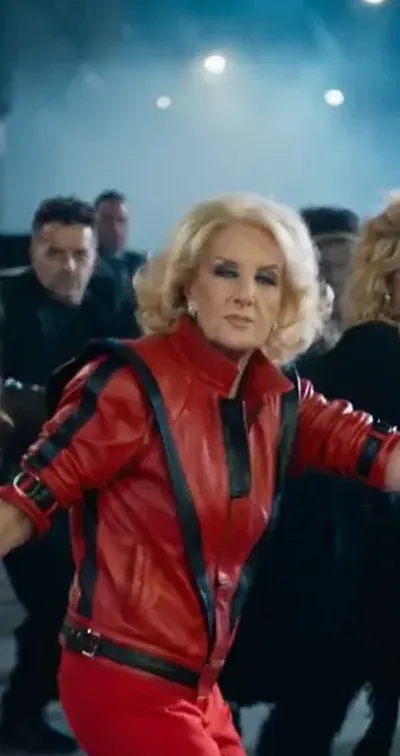
Three moments from the same reference clip, not results made from an upload. — 1 Head roll
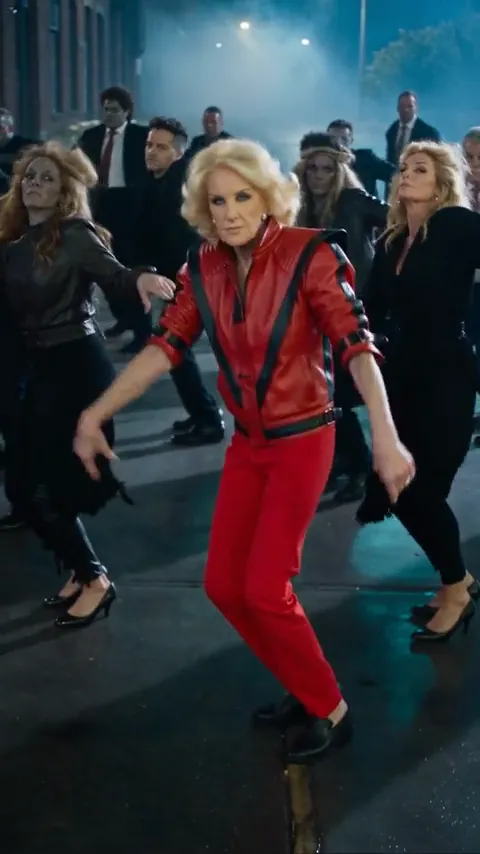
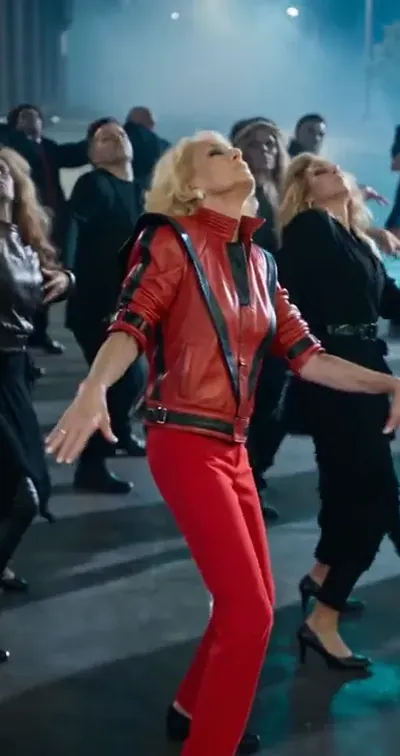
Three moments from the same reference clip, not results made from an upload. — 2 Knee steps
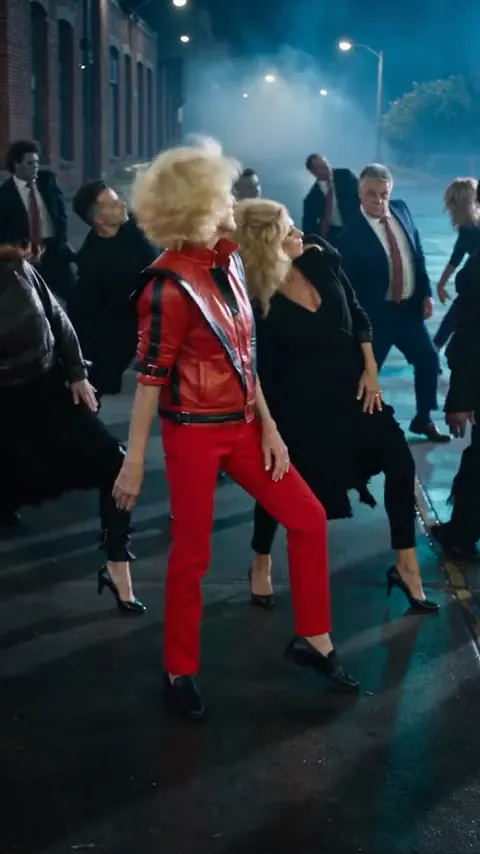
Three moments from the same reference clip, not results made from an upload. — 3 The bend

Roll, step, bend: the Thriller dance in three moves.

The head roll. Arms swing wide and the head rolls back. It sets the mood, so keep the lead square to the camera with the crowd behind.

The knee steps. Bent knees, loose arms, small steps toward the lens. This is where a full-body photo pays off: the legs need to be in frame.

The bend. A quick bend down, hair flying, then a snap back up into a wide stance. End the clip on that pose rather than adding another move.
One dancer, head to toe. — Waist up
One dancer, head to toe. — Knees up
One dancer, head to toe. — Full body

One dancer, head to toe.

Your photo becomes the opening frame of the clip. Choose one sharp, evenly lit picture of one person standing and facing the camera, ideally full body or knees up so the legs can dance. A night or street photo blends into the foggy scene; for Duo, use one photo with both of you.

Video prompt

Use [the person, pair or pet in my photo] and keep [face, hair and colors]. Dress them in [a red jacket with black stripes]. Set [a foggy night street]. Behind them, [a crowd of zombies] copies every move: [a deep lean], [shoulder rolls], [bent-knee steps], [claw hands], then [a quick bend into a wide stance]. Full body, one continuous vertical shot, no text.

Write the Thriller dance like a choreographer.

A strong prompt names the lead, the crowd and three or four moves in order. Fill in the brackets and the routine stays readable.

The lead. The person, pair or pet from your photo, in a red jacket or the costume you want to keep.

The crowd. Zombies, skeletons or costumed pets behind the lead, copying every move in sync.

The moves. Lean, shoulder roll, knee steps, claw hands, bend. Name them in order and keep the full body in frame.

How to make a Thriller dance AI video.

  1. Watch the zombie dance

    Play the reference with sound and follow the lead: the deep lean, shoulder rolls, bent-knee steps, claw hands and the quick bend at the end.

  2. Add your photo and pick a scene

    Upload one full-body photo, then choose Zombie street, Pet edition or Duo. Use the notes for anything that must stay, like glasses, hair or a costume.

  3. Continue, review and post

    Carry your photo and prompt into the video workspace. Check the face, hands and feet through the moves, then add your Halloween sound inside TikTok or Reels.

Thriller dance AI prompts for every Halloween crew.

Start with the zombie street, then try your pet, a duo or a Halloween remix. Applying a prompt keeps your uploaded photo in place.

Zombie street

Use the person in the uploaded photo as the lead dancer and keep their face, hairstyle and skin tone. Dress them in a red jacket with black stripes and red trousers. Set the scene on a foggy city street at night, with blue streetlights and wet asphalt. The lead dances out in front of a crowd of zombie dancers in torn, dusty clothes who copy every move in sync. The routine: a deep lean with the arms swinging out, a head drop and shoulder roll, bent-knee steps toward the camera, claw hands raised beside the shoulders, then a quick bend down and a snap back up into a wide stance. Full body in frame, one continuous vertical shot, natural hands and feet. No captions or logos.

Pet edition

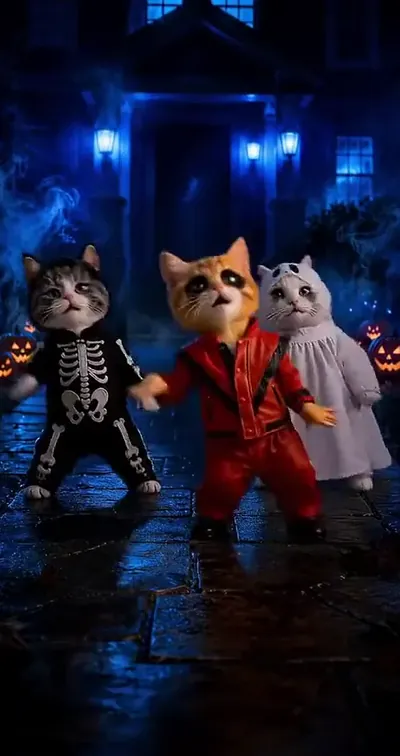
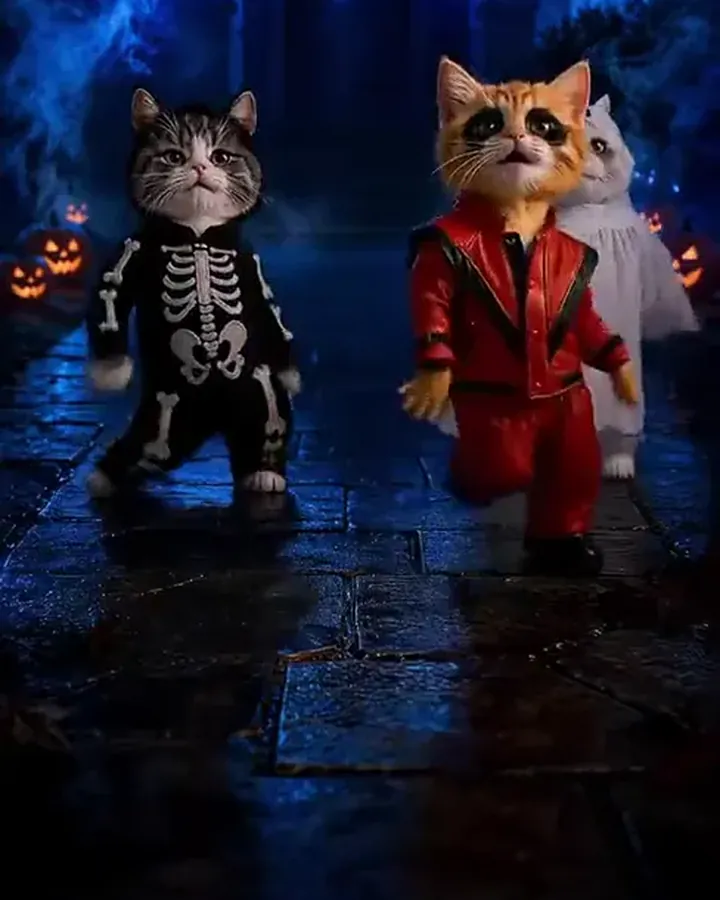
Use the pet in the uploaded photo as the lead dancer and keep its breed, fur, markings and face. Dress it in a tiny red jacket and red trousers and stand it upright on a haunted street at night, with blue fog, a dark house and glowing jack-o’-lanterns. Two smaller cats beside it, one in a skeleton costume and one in a white ghost sheet, dance along in sync. The pets sway, raise claw paws beside their heads, turn, bow to the ground and shrug at the camera. Keep the anatomy cute and natural and the costumes consistent. One continuous vertical shot, no text.

Duo

Use the two people in the uploaded photo as a lead pair and keep both faces, hairstyles and skin tones distinct. Dress both in red jackets with black stripes. They dance side by side on a foggy night street with blue streetlights, with a crowd of zombie dancers behind them copying every move. They lean and swing the arms, roll the shoulders, step forward with bent knees, raise claw hands and finish in a wide stance, perfectly in sync. Keep both people in full view, never merging or swapping faces. One continuous vertical shot, no text.

Zombie makeover

Use the person in the uploaded photo as the lead dancer and keep their face shape, hairstyle and features recognizable, but give them light zombie makeup: pale grey skin, dark circles and a few painted scratches. Same red jacket with black stripes. On a foggy night street, the lead and a crowd of zombies behind them lean, swing their arms, step forward with bent knees and raise claw hands in perfect sync. Playful Halloween tone, nothing gory. Full body, one continuous vertical shot, no text.

Graveyard break

Use the person in the uploaded photo as the lead dancer and keep their face, hairstyle and skin tone. They wear a red jacket and dance in a misty graveyard under a full moon, with crooked headstones and bare trees. Zombies climb out of the ground behind them, then fall into line and copy the moves: a deep lean, shoulder rolls, bent-knee steps and claw hands. Cool blue moonlight with a little green fog. Full body, one continuous vertical shot, playful not scary, no text.

Office Halloween party

Keep the person and the room from the uploaded photo. It is the office Halloween party: coworkers in simple zombie costumes stand up from their desks and gather behind the lead, who wears a red jacket. Everyone breaks into the zombie dance together, leaning, swinging their arms, stepping forward with bent knees and raising claw hands in sync, while the lights flicker a little. Full body if possible, handheld vertical framing, one continuous shot, no text or logos.

Tips for a sharper Thriller dance AI video.

Your photo is the opening frame

An image-to-video clip starts from the picture you upload, so its outfit and background carry into the dance. A red jacket or Halloween costume in your photo reads instantly; a night or street photo blends into the fog.

Show your feet

The steps live in the knees and feet. A full-body or knees-up photo gives the engine legs to move; a selfie leaves it guessing.

Stand clear of props

Claw hands need free hands. Skip photos where you hold a drink, bag or phone, or the object may follow you through the routine.

Fewer moves, bigger moves

Ask for three or four bold moves rather than the whole routine. A clean lean, steps and claw hands read better in a short clip than a rushed sequence.

Thriller dance AI video FAQ

The trend, the moves, pets, duos, the sound and what you get.

What is the Thriller dance AI trend?

It recasts the famous Halloween zombie dance from a 1980s music video with your own photo. You lead the routine in a red jacket, with a crowd of zombies or dancers behind you copying every move. People make it solo, with a friend or with their pets, especially around Halloween.

What are the Thriller dance moves?

The best-known steps are a deep lean with the arms swinging out, head drops and shoulder rolls, bent-knee steps, raised claw hands beside the shoulders and a quick bend that snaps back up into a wide stance. You do not need to know them; the prompt describes the moves for you.

How do I make a Thriller dance AI video?

Upload one full-body photo in the workspace above, choose Zombie street, Pet edition or Duo, and add optional notes. Continue with your photo to carry the photo and prompt into the video workspace, then review the result and add the sound when you post.

Which photo works best for the Thriller dance?

One person standing and facing the camera, full body or knees up, in even light, with free hands and no sunglasses. Use a JPG, PNG or WebP up to 10 MB. A red jacket or Halloween costume in the photo helps, because the photo becomes the first frame.

Can my cat or dog do the Thriller dance?

Yes. Choose Pet edition and upload a sharp photo of one pet with the whole body in view. The prompt dresses it in a tiny red jacket with two costumed friends; check paws and anatomy closely, since animal dance moves vary more than human ones.

Can I do the Thriller dance with a friend?

Yes. Choose Duo and upload one photo with both of you standing side by side, full body if possible. The clip starts from that one photo, so both people need to be in it.

Is there a free AI Thriller dance generator?

Planning your Thriller dance here is free: upload a photo, pick a scene, edit the prompt and copy or download your brief. Rendering the clip with an EZ engine uses credits, and the cost is shown before you generate.

Is the Thriller dance a Halloween dance?

Yes, it is the go-to Halloween zombie dance. Its claw hands, shoulder rolls and zombie crowd show up at Halloween parties, flash mobs and costume videos every October, which is why the AI version trends then too.

Does my video include the Thriller song?

No. The reference player on this page plays the clip’s audio so you can study the timing, but your video is made from your photo and prompt and does not include that recording. Add a Halloween sound inside TikTok, Reels or Shorts when you post.

How long is a Thriller dance AI video?

The reference runs about 10 seconds. Generated clips follow the length of the EZ engine you choose, between 5 and 10 seconds, which fits three or four of the signature moves.

Is the reference the original music video?

No. The reference is a recast of the zombie-dance idea with a different lead and crowd, shown so you can study the moves and framing. It is not a result made from your upload.

Is this an official Thriller product?

No. This is an independent creative template. “Thriller dance” describes the Halloween dance trend and implies no affiliation with or endorsement by the song’s artist, the music video’s makers or their estates.

Put on the red jacket. The zombies are waiting.

One full-body photo of you, your friend or your pet is all it takes to lead the Thriller dance.

Thriller Dance AI Video Generator