Set up the Christmas snowball tease
Start with a look, then one small toss and a clear reaction. Put the gifts safely down first and keep the action playful.
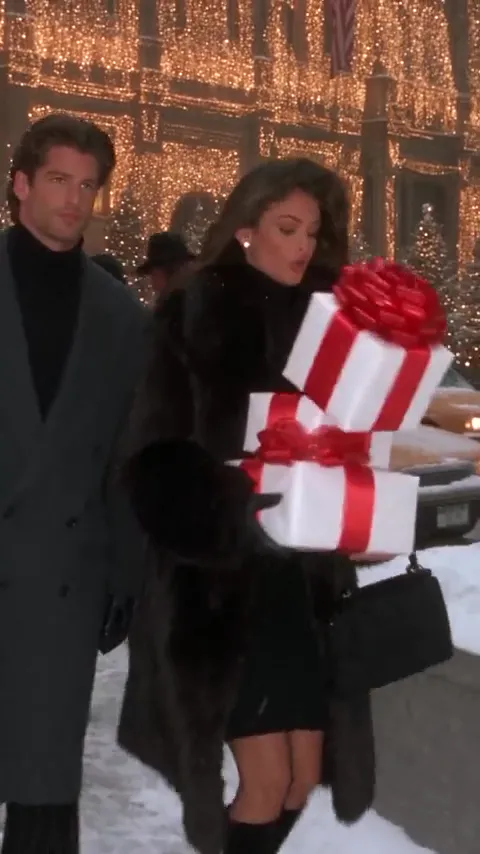
Red ribbons, falling snow and that “don’t you dare” look. Put two familiar faces into a short Christmas rom-com scene inspired by the snowball romance trend.
Christmas snowball romance reference · about 29 seconds · original audio · 9:16
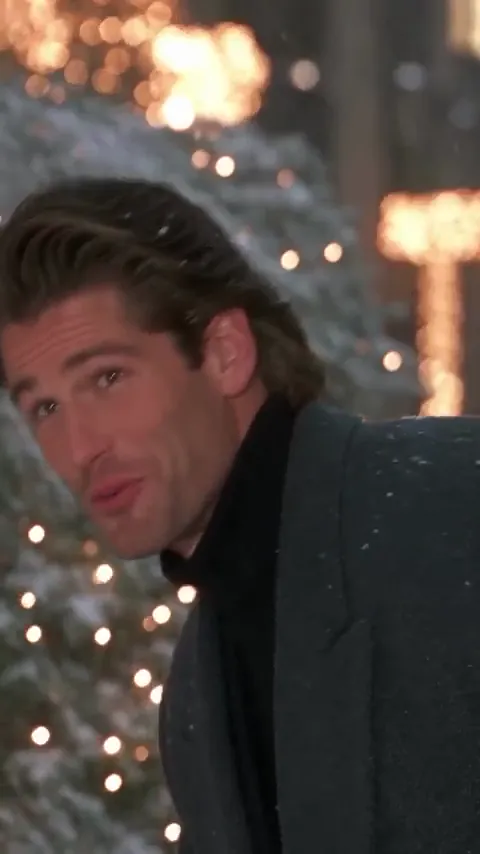
A teasing look, a little snow and a plaza full of warm lights.
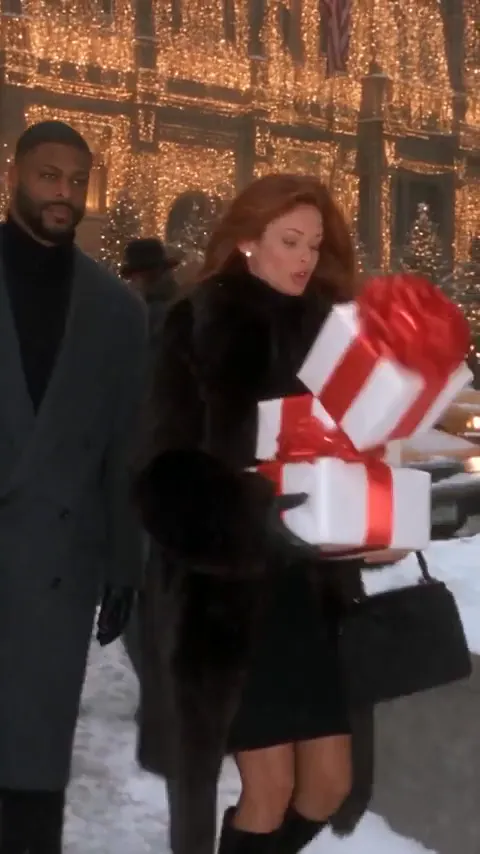
The Don’t You Dare Christmas trend turns a winter walk into a playful romantic-comedy scene. The gift carrier wears black; the partner wears grey. Red ribbons, city decorations and a snowball exchange give the edit its recognizable rhythm. Add two portraits and choose one short scene to direct. Your photos and editable prompt create a fresh take, while the full reference helps you study the coats, framing and expressions.
Create my videoWarm lights make the cold plaza inviting. Red ribbons and contrasting coats separate the two roles; the playful look before the throw gives the scene its romantic-comedy timing.
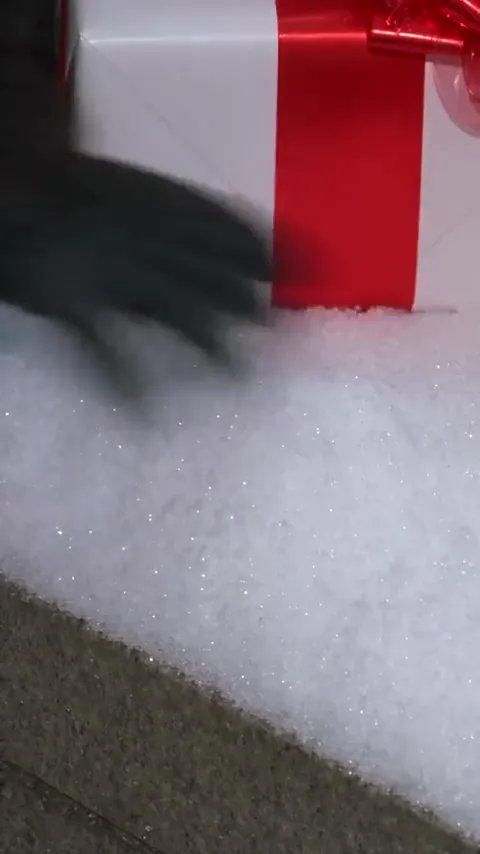
Set down the gifts. The black coat and red ribbons identify the gift carrier before the playful exchange starts.
Trade a look. A mock warning and an amused reaction give the snowball moment its timing.
Close the distance. The chase gives way to a face-to-face smile under the Christmas lights.
Prepare your photos, shape the scene and review your clip in four steps.
Notice the black coat and gift boxes, the grey overcoat, the teasing snowball exchange and the close final look. Pick one short moment to remake.
Add one clear portrait for the gift carrier in slot 1 and one for the partner in slot 2. Both slots are required; anyone can play either role.
Select Snowball tease, Gift-box stroll or Under the wreath. Add a styling note and review the prompt, duration and credit cost in Advanced settings.
Check both faces, the role order, hands and gifts. Download the result you like. Add your preferred holiday sound in your posting app if needed.
Three ways to keep the Christmas rom-com identity while giving a short clip room to breathe.
Start with a look, then one small toss and a clear reaction. Put the gifts safely down first and keep the action playful.
A stack of white boxes and red ribbons tells the holiday story immediately. A teasing handover lets both faces stay visible.
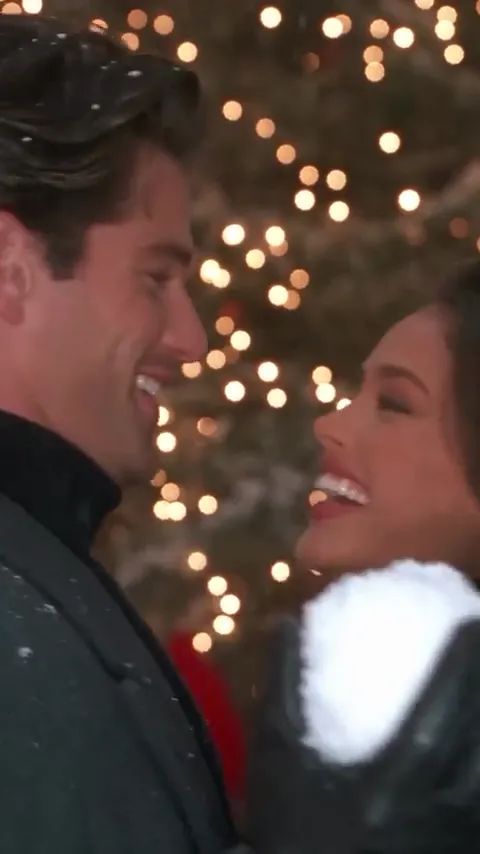
A giant wreath and a close two-shot make a simple finish. Let one person brush away the snow, then hold the shared smile.
Original scene ideas for two uploaded portraits. Keep one main action and personalize the details.
A playful throw, a surprised smile and a Christmas-light finish.
Use the two people in the uploaded side-by-side image as two separate characters. The person on the left is Person 1 and the person on the right is Person 2. Preserve each face, hair and skin tone without swapping or blending them. Person 1 wears a black faux-fur winter coat and carries white gift boxes tied with red ribbons; Person 2 wears a long grey overcoat. Create a short 1990s-style Christmas romantic-comedy scene in a snowy city plaza with warm string lights. Person 1 sets the gifts on a low ledge, scoops a little soft snow and playfully tosses it toward Person 2's coat. Person 2 turns with a surprised smile, takes a step closer and both laugh face to face. Keep it affectionate and light. Two leads only, coherent natural hands, gentle snow, warm film grain, no text or logos. Vertical 9:16.
Two winter coats and a little teasing under the lights.
Use the two people in the uploaded side-by-side image as two separate characters. The person on the left is Person 1 and the person on the right is Person 2. Preserve each face, hair and skin tone without swapping or blending them. Person 1 wears a black faux-fur winter coat and carries white gift boxes tied with red ribbons; Person 2 wears a long grey overcoat. In a snowy city square at blue hour, the two walk side by side beneath golden Christmas lights. Person 2 offers to take a gift box; Person 1 pulls the stack back with a teasing smile, then hands over the top box. Both exchange a warm look and continue walking. One smooth medium tracking shot, 1990s romantic-comedy film texture, stable gift boxes, natural hands, exactly two leads, no text or logos. Vertical 9:16.
Finish the romance with one shared glance.
Use the two people in the uploaded side-by-side image as two separate characters. The person on the left is Person 1 and the person on the right is Person 2. Preserve each face, hair and skin tone without swapping or blending them. Person 1 wears a black faux-fur winter coat and carries white gift boxes tied with red ribbons; Person 2 wears a long grey overcoat. Place the gift boxes safely on a snowy ledge beside a giant Christmas wreath with a red bow. Person 1 brushes a little snow from Person 2's shoulder. Person 2 looks down, then back at Person 1, and both smile. Hold the final close two-shot beneath warm fairy lights. A gentle, playful 1990s holiday-film atmosphere, slow camera push-in, no added people, no sudden cuts, no text or logos. Vertical 9:16.
A simpler moment for a softer holiday edit.
Use the two people in the uploaded side-by-side image as two separate characters. The person on the left is Person 1 and the person on the right is Person 2. Preserve each face, hair and skin tone without swapping or blending them. Person 1 wears a black faux-fur winter coat and carries white gift boxes tied with red ribbons; Person 2 wears a long grey overcoat. The two pause in a quiet city plaza as the first snowflakes fall. Person 1 holds the gifts steady and looks up. Person 2 catches a snowflake on an open palm, then turns to share a small smile. Warm shop-window light, a subtle 1990s film texture and one slow medium shot. Two people only, preserve both faces, keep the gifts consistent, no text or logos. Vertical 9:16.
Keep the chase short and both faces in the frame.
Use the two people in the uploaded side-by-side image as two separate characters. The person on the left is Person 1 and the person on the right is Person 2. Preserve each face, hair and skin tone without swapping or blending them. Person 1 wears a black faux-fur winter coat and carries white gift boxes tied with red ribbons; Person 2 wears a long grey overcoat. Begin with the gift boxes resting safely on a low stone ledge. In a snowy plaza beneath Christmas lights, Person 1 gives Person 2 a playful look and moves a few steps away. Person 2 follows at a gentle pace. Person 1 turns back, both stop close together and laugh. Keep both people visible, avoid fast running or collisions, use one smooth tracking shot with warm nostalgic film texture, no text or logos. Vertical 9:16.
A small comic reaction instead of a long action sequence.
Use the two people in the uploaded side-by-side image as two separate characters. The person on the left is Person 1 and the person on the right is Person 2. Preserve each face, hair and skin tone without swapping or blending them. Person 1 wears a black faux-fur winter coat and carries white gift boxes tied with red ribbons; Person 2 wears a long grey overcoat. In a warm-lit snowy Christmas square, Person 1 lightly taps a snow-covered branch so a little powder falls onto Person 2's shoulder. Person 2 freezes for a beat, brushes off the snow and gives Person 1 a mock-serious look. Both smile. The gifts remain steady in Person 1's other arm. Gentle romantic-comedy timing, two distinct faces, medium two-shot, no dialogue required, no text or logos. Vertical 9:16.
Watch the source scene and an alternate couple version, both with original audio. These team-site references are not results generated by this workspace.
Original snowball romance
Alternate couple reference
Explore another dance, meme or cinematic scene for your next video.
The trend, two-photo roles, short generated clips and reference audio.
It is a nostalgic Christmas couple scene: a black winter coat, gift boxes with red ribbons, a grey overcoat, glowing city decorations and a playful snowball exchange. The teasing turns into a close shared smile. It is also described as the 90s snowball romance or Christmas rom-com AI trend.
Upload two portraits in the workspace above, assign the gift-carrier and partner roles, then choose a scene. Review the editable prompt and generate a short take. Check both faces and the snowball action before downloading.
Yes. Slot 1 is the person in the black coat carrying the gifts; slot 2 is the person in the grey overcoat. Use one person in each photo. The workspace combines both photos into the starting image for generation.
Yes. The roles are defined by the coat and the action, not gender. Put each person in the slot for the part you want them to play, using photos you are allowed to use.
The default prompts ask for the black faux-fur coat, grey overcoat and red-ribboned gifts because they make this Christmas scene recognizable. You can edit those details, although your uploaded clothes and background may still influence the opening frame.
No. The main reference runs about 29 seconds. This workspace generates a new short scene from your photos and prompt; the default EZ Standard setting is 8 seconds. Choose a single snowball moment or a quiet close-up rather than expecting every cut from the reference.
The reference player keeps its original audio. Your generation does not copy that recording or its exact dialogue. EZ Standard makes its own sound; use a permitted track or add your own voiceover when editing or posting.
Yes. Gift-box stroll and Under the wreath keep the coats, gifts and Christmas lights while using smaller gestures. They are useful alternatives when you want a gentler couple edit.
Use two sharp, evenly lit portraits with unobstructed faces and similar framing. Avoid sunglasses, strong filters and groups. Inspect both identities after generation, especially when a face turns or snow crosses the frame.
Add both portraits, choose a snowball moment and make the scene your own.